
VibeVoice vs Otter.ai
Desktop voice input wherever your cursor is, against a tool that records the meeting. Two different jobs.
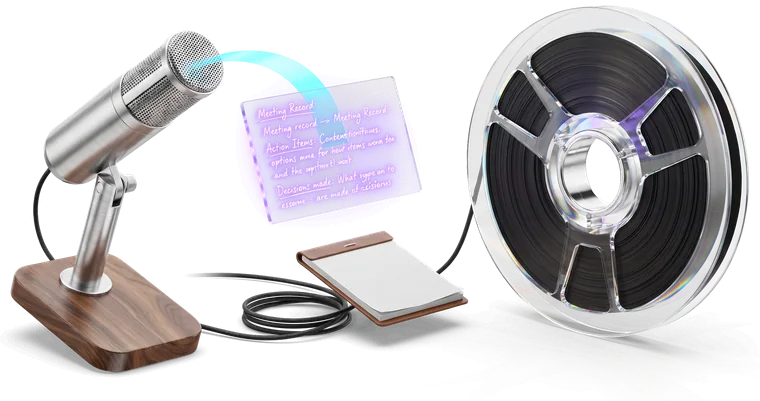
Which should you pick, VibeVoice or Otter.ai?
They do different jobs. Pick Otter.ai to record a meeting you are attending and get a searchable transcript with the speakers separated. Pick VibeVoice to type by voice into whatever application you are already using — email, a document, a terminal, a chat box.
Buying one for the other’s job is the usual disappointment. Otter used as a dictation tool leaves your text stranded in Otter; VibeVoice pointed at a live four-person call will not tell you who said what.
Where they actually differ
| Feature | VibeVoice | Otter.ai |
|---|---|---|
| Hotkey typing, focused field | Types into the focused field | No — text stays in Otter |
| Joins the meeting | No | Optional — a calendar bot, or bot-free recording |
| Free tier | 30 min a month, 10 min per file | 300 min a month, 30 min per conversation, 3 file imports (lifetime) |
| Speaker separation | Included (Ultra) | Core feature |
| Price in Germany | €3 / month | ≈ €17 / month · ≈ €9 on the annual plan, in Germany$16.99/mo, $8.33/mo billed annually ($99.96/yr) |
Colour marks a capability one product has and the other does not. Prices, free tiers and design trade-offs are left plain — they are choices, not defects. The euro price is our conversion of the vendor’s dollar list price: plus 19% VAT, at the ECB reference rate of 1.1593 USD/EUR on 2026-08-17.
Otter.ai figures from otter.ai/pricing, checked August 2026.
Which one should you actually pick?
We built VibeVoice, so treat this as our view — but these are the cases where we would tell you to buy Otter.ai instead.
Choose Otter.ai if…
- Your main job is recording and summarising meetings. Otter records the call — as a calendar bot, or bot-free from its desktop app — separates speakers and produces notes. VibeVoice does not do any of that.
- You need shared, searchable transcripts that a whole team collaborates on inside one workspace.
- You want AI meeting summaries and action items generated automatically after a call.
Choose VibeVoice if…
- You are dictating rather than recording: you want the words at your cursor, in whatever application is in front of you, while you talk.
- You need a global hotkey that works system-wide on Windows, macOS and Linux.
- You do not want a bot joining the call, so no extra participant appears in the list and nobody else in the meeting sees what you write.
VibeVoice vs Otter.ai: common questions
Is VibeVoice a good Otter.ai alternative?+
For meetings, no. Otter is built to sit in a call, record it and summarise it; VibeVoice has no meeting bot and does not join calls. They solve different problems, and plenty of people use both. If what you want is to talk instead of type, VibeVoice replaces Otter’s dictation feature comfortably.
Can VibeVoice transcribe a recorded meeting file?+
Yes. You can upload audio or video files for batch transcription — up to 1GB on Pro and 10GB on Ultra. What it will not do is join the meeting and record it for you. If you want the speakers labelled in a recording you already have, that is speaker separation, on Ultra.
Does VibeVoice do speaker separation?+
Speaker separation — diarization, if you searched for it that way — is available on file uploads, on Ultra. It is not part of the live dictation path, because live dictation assumes one speaker: you.
Which is better for taking notes?+
It depends on whether you are attending or writing. In a meeting you are not in control of the audio, and Otter’s recording model fits. Writing notes yourself afterwards — or during — is dictation, and that is what VibeVoice is for.
Last updated . Competitor figures checked August 2026: prices, platforms, and each vendor’s own description of when its text is finished, which is their account rather than our measurement. All of it changes, so check theirs before buying.