
VibeVoice vs MacWhisper
One runs on your Mac and you buy it once. The other runs on a server and works on every desktop you own.
Which should you pick, VibeVoice or MacWhisper?
Pick MacWhisper if you work on one Mac, prefer paying once instead of monthly, and want transcription that never leaves the machine. Pick VibeVoice if you move between a Mac, a PC and a Linux box, because one account covers all three and there is no model to download per machine.
MacWhisper’s speed depends on your Mac; ours barely does, because the transcription is not happening there. Over several years a one-time purchase also wins on cost against any subscription, which is the honest reason many people choose it.
The short answer
This is not an accuracy comparison. On the same audio both produce broadly the same text, and anyone claiming a large accuracy gap between two dictation tools of this kind is selling something. We publish how we measure accuracy rather than asserting a number against anybody.
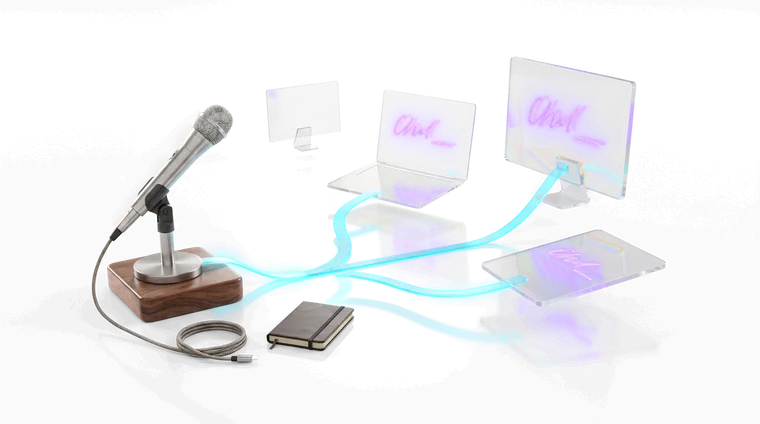
The real question is where the model runs. MacWhisper downloads it and runs it on your Mac, which means your audio never leaves the machine and you pay once. VibeVoice streams audio to a server, which means a slow or old machine transcribes as fast as a new one, your own hardware barely notices, and it works identically on Windows and Linux.
If you own a recent Mac and only a Mac, MacWhisper is a genuinely good answer and the one-time price is hard to argue with.
Where they actually differ
| Feature | VibeVoice | MacWhisper |
|---|---|---|
| Platforms | Windows, macOS and Linux | macOS desktop and iOS |
| Where recognition runs | Our servers, in Germany — your machine only captures and types | On your Mac |
| Audio leaves your machine | Yes, deleted after transcription | No |
| Works offline | No | Yes |
| Speed on older hardware | A five-year-old laptop keeps up with a new one | Depends on the chip |
| Battery impact | Not on your machine | Power draw scales with your Mac |
| Price in Germany | Free tier, then €3 / month | €65 once€65 on Gumroad; in the App Store €59.99 once, or from €6.99 a month |
| Choose your own model | No | Yes |
| Live dictation into the focused field | Yes | Yes |
| Batch uploads | Drag and drop in the browser | Local files, folders and media URLs (Pro) |
MacWhisper figures from goodsnooze.gumroad.com, Mac App Store, checked August 2026.
Which one should you actually pick?
We built VibeVoice, so treat this as our view — but these are the cases where we would tell you to buy MacWhisper instead.
Choose MacWhisper if…
- You want your audio to never leave your machine. MacWhisper runs the model locally and that is a guarantee no cloud service can offer, including ours.
- You prefer paying once. A one-time purchase against a subscription is a real difference over several years, and it is the honest reason a lot of people pick it.
- You want to choose and swap the model yourself, or run a larger one than a service would give you.
- You work offline — on a plane, in a field, on an air-gapped machine.
- You are on a Mac and expect to stay there. Half of this comparison does not apply to you.
Choose VibeVoice if…
- You use Windows or Linux, or more than one of the three. MacWhisper has no desktop app outside macOS.
- Your machine is not a fast Apple Silicon Mac, and you would rather not hear the fans while you dictate.
- You want consistent latency regardless of what else the machine is doing — compiling, running a VM, on battery.
- You want the same account and the same behaviour across every desktop you use.
VibeVoice vs MacWhisper: common questions
Is VibeVoice a good MacWhisper alternative?+
If you work across more than one machine, or on Windows or Linux, yes — MacWhisper is one app on one Mac. If everything you do happens on that Mac and you would rather pay once than monthly, theirs is the better shape.
Is MacWhisper more accurate than VibeVoice?+
Not meaningfully. On the same audio the two produce broadly the same text. What differences there are come from audio quality and how each product cuts speech into pieces, rather than from one having a better recogniser. Treat any claim of a large accuracy gap between dictation tools of this kind with suspicion — including ours, which is why we publish our method.
Does MacWhisper work on Windows or Linux?+
No. MacWhisper is a Mac app, with an iOS companion on the App Store, and there is no Windows or Linux build. If you use more than one desktop operating system, that is usually the whole decision.
Is local transcription better for privacy?+
Yes, unambiguously, and we would rather say so than argue around it. Audio that never leaves your machine cannot be mishandled by anyone else. What we can offer instead is a specific promise: audio is processed on servers in Germany and deleted as soon as the transcript exists or the attempt fails, and it is never used to train any model. That is a weaker guarantee than local processing, because it asks you to trust us.
Which is cheaper?+
It depends how long you use it. MacWhisper is a one-time purchase, so over several years it wins on cost against any subscription. VibeVoice has a free tier, costs less to start, and includes server-side transcription you are not paying for in hardware or battery. Neither answer is universal.
Can I use both?+
Yes, and it is a sensible setup if you have a Mac and something else. MacWhisper on the Mac for offline and privacy-sensitive work, VibeVoice for the machines it does not run on.
Last updated . Competitor figures checked August 2026: prices, platforms, and each vendor’s own description of when its text is finished, which is their account rather than our measurement. All of it changes, so check theirs before buying.